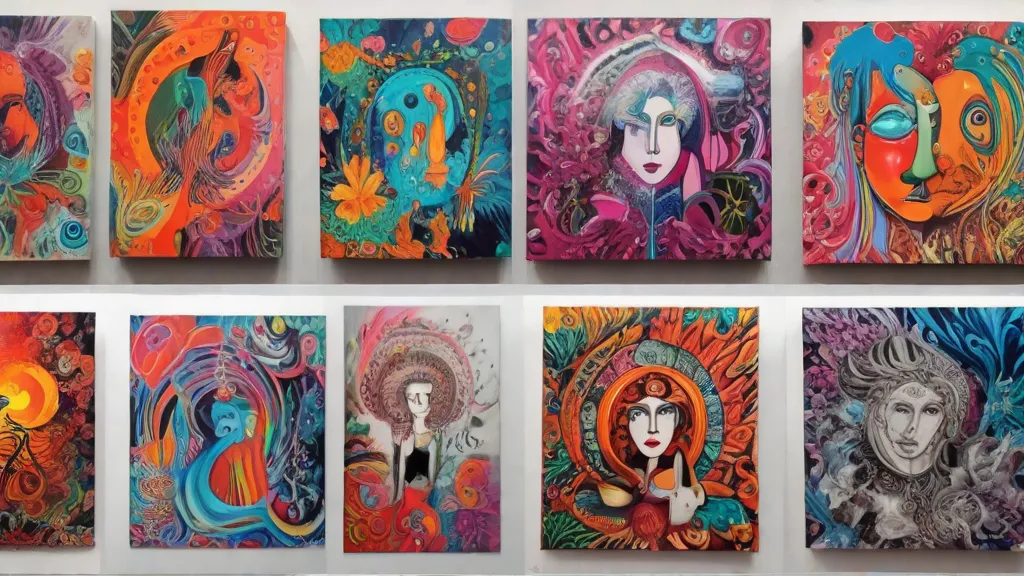
AI Artwork Generator: Turn Text into Art
Describe what you imagine and the free AI artwork generator turns it into a finished image in seconds: a dreamy watercolour, a moody oil painting, a crisp 3D render or retro pixel art.
How to create AI art
- Describe your idea: subject, setting, mood and lighting.
- Pick a style: Photorealistic, Digital art, Oil painting, Watercolor, Anime, 3D render, Pixel art or Line art.
- Generate and look at what works.
- Refine one thing at a time: change the lighting, the colours or the camera angle, then generate again.
Writing prompts that work
A good prompt answers four questions: what, where, what mood and what light.
- Weak: "a city"
- Better: "a city at night"
- Strong: "a neon-lit cyberpunk city in the rain, reflections on wet streets, lone figure with an umbrella, cinematic lighting"
More tips:
- Put the most important thing first. The model pays most attention to the start of the prompt.
- Use concrete words. "Golden hour", "fog", "low angle" and "pastel palette" steer the image more than "beautiful" or "amazing".
- Say what to leave out. Add "no text" or "plain background" if you need a clean image.
- Keep a prompt diary. When you get a result you love, save the exact wording so you can reuse it.
Which style should you choose?
- Photorealistic: product mock-ups, travel scenes and anything that should look like a photo.
- Digital art: fantasy, sci-fi and concept art with bold colour.
- Oil painting: portraits, landscapes and classic, gallery-style pieces.
- Watercolor: soft, airy scenes, cards and invitations.
- Anime: characters and dramatic scenes in Japanese animation style.
- 3D render: cute characters, icons and objects with depth and soft shadows.
- Pixel art: retro game scenes, avatars and sprites.
- Line art: colouring pages, tattoo ideas and minimal illustrations.
What people make with AI art
- Wallpapers and phone backgrounds
- Illustrations for blog posts, newsletters and presentations
- Personalised birthday cards and posters
- Concept art for stories, games and tabletop campaigns
- Mood boards for a room, a brand or an event
AI art vs stock images
Stock libraries give you an image that already exists, and many other people use the same one. An AI artwork generator makes a new image that matches your exact idea, colours and format. For a specific scene or an unusual combination, AI is usually faster than searching for hours. For real people, places and events, use real photographs.