AI Haircut Identifier — Name Any Haircut from a Photo

Upload a hairstyle photo and get the haircut's name, exactly what to ask your barber, styling steps and which face shapes it suits.

Drop an image here or paste from clipboard

More details (optional)

Try it free — no account needed. Want more? for a daily allowance.

FROM THE AI STUDIO

Like this tool? Create your own — text, images & videos

AICoolHub isn't just identification: our Studio generates AI images from a sentence and short videos from a description. Every free account includes a daily studio allowance.

New — be the first to rate
Try it free — no account needed
Share this tool:𝕏WhatsAppTelegramFacebook
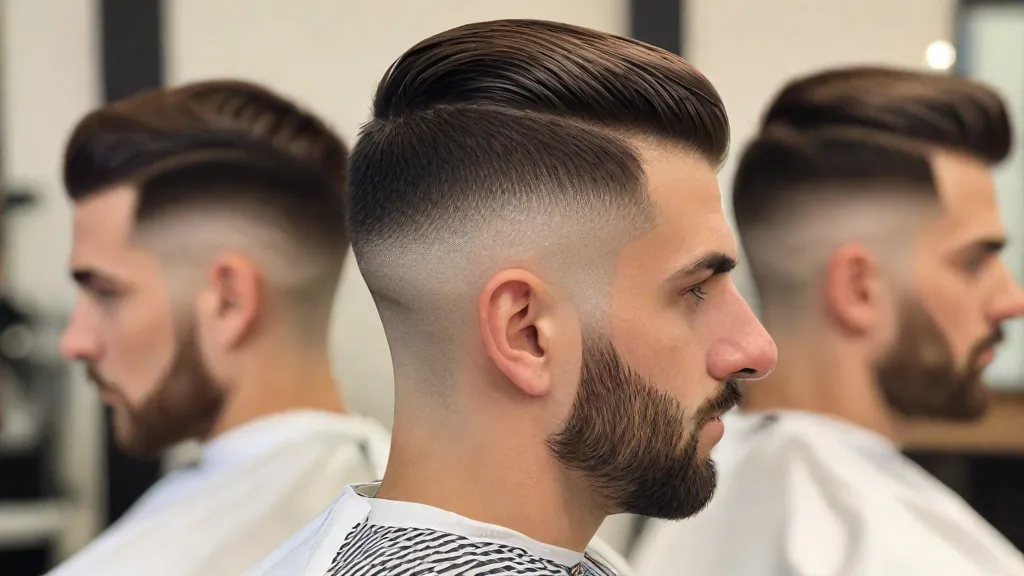
AI haircut identifier app interface with photo upload and capture options

What is this haircut called?

Saw a hairstyle you love on social media or a celebrity? Upload the photo and the AI haircut identifier tells you its name, exactly what to ask your barber or stylist, how to style it daily, and whether it suits your face shape and hair type.

How it works

  1. Upload a photo of the hairstyle — a screenshot or a photo of a person.
  2. Add your hair type (optional) — "thick and wavy", "fine and straight".
  3. Get the name and your barber instructions.

What you get

  • The haircut name used in salons, with length and maintenance level
  • A reference card about the style when one exists
  • Ask your barber: the exact words, clipper guard numbers or scissor lengths, fade height and finish
  • Styling: products and 2–3 quick daily steps
  • Suits: face shapes and hair types it works best for

Tips

  • Upload a front and a side photo if you have them — fades and layers are easier to read
  • Bring the result and the photo to your appointment
  • Not quite it? Add a hint ("shorter on top", "curly version") and search again

Frequently asked questions

How do I find the name of a haircut from a picture?

Upload a clear photo of the hairstyle and press Identify the haircut. The AI names it (for example textured crop, wolf cut or curtain bangs) and explains how to ask for it.

What should I tell my barber?

Every result includes an Ask your barber section with the exact words to use: clipper guard numbers or scissor lengths, fade or taper height and the finish. Show it to your barber together with the photo.

Will this haircut suit me?

The answer lists the face shapes and hair types the style works best for. Add your own hair type in the optional box and the advice is tailored to you.

Does it work for men's and women's hairstyles?

Yes — fades, crops, buzz cuts, bobs, layers, bangs, curly and braided styles, and more.

Which photos work best?

A sharp photo where the hair is clearly visible, ideally from the front and the side. Celebrity photos and screenshots work well.

Is the haircut identifier free?

Yes. Your first search each day needs no account at all. A free account adds a daily allowance for more searches, with no card required.

Comments (0)

No comments yet — be the first to share your result!

More tools like this